How to Mirror Illustrator Artwork and Multi-Artboard Files for Arabic RTL Layouts
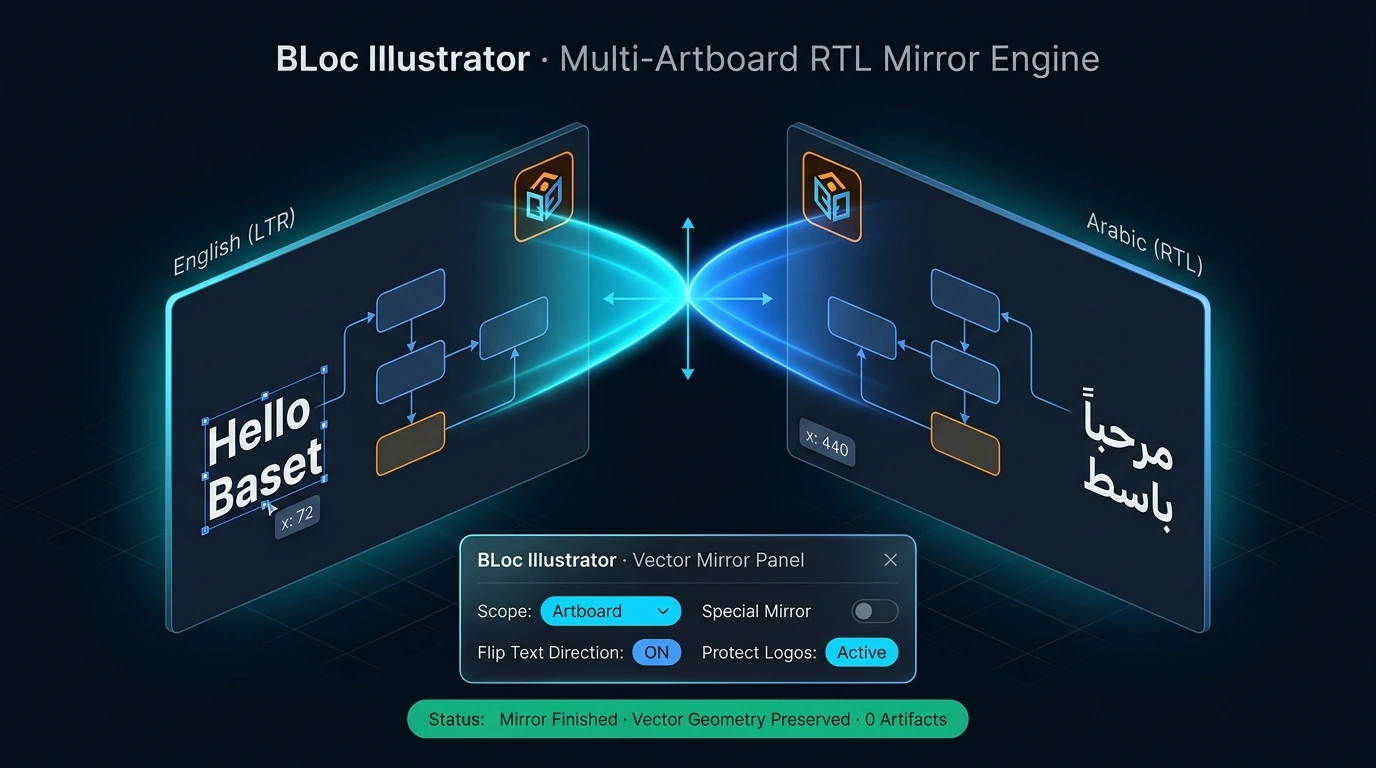
Mirror Illustrator artwork for Arabic RTL layouts with Special Mirror or Classic Mirror, from a single selection up to a whole multi-artboard file.
BLoc Illustrator · Illustrator layout
Mirror selected Illustrator artwork, the current artboard, or a whole multi-artboard file for RTL production.
$10 / month or $100 / year
USD. Yearly billing includes two months free.
Free download of the latest version (ZIP with the user guide). To use it, get a License ID and Activation code.
Real workflow · 0:51 · 1080p
Choose the mirror options, process a sample and compare the repositioned artwork and text.
A focused two-object example of the real workflow.
00:00 BLoc Illustrator brings layout mirroring into your Illustrator workflow.
00:05 A blue shape on the left. Readable text on the right.
00:11 Select Whole page or file to include all artwork on the page.
00:17 Use Special mirror. Enable Flip text direction for this run.
00:23 Run the tool and see the layout change inside Illustrator.
00:35 The shape and text move across the artboard. Their sizes stay the same.
00:46 BLoc Illustrator | basetloc.com
Try prepared interactive examples and compare the starting point with the result.
Download the latest Windows version from this page for free: one ZIP file with the program and its user guide.
Choose Get activation code and select your plan. You receive a License ID and Activation code by email; each code works once, on one PC, within 24 hours.
Open the tool, enter your License ID and Activation code (the first activation needs internet), and follow the user guide.
No. It mirrors object positions and geometry for right-to-left production, and its Flip text direction option swaps left-aligned and right-aligned paragraphs in mirrored text frames. Translate your content first and visually review artwork and typography after mirroring.
You can mirror selected objects, the current artboard or a whole multi-artboard file. Special Mirror moves artwork without flipping it; Classic Mirror moves and flips it. Whole-page processing skips locked objects, hidden objects and guides.
$10 / month or $100 / year. USD. Yearly billing includes two months free. The download is free; you pay for the license that activates it.
Download the latest Windows version from this page for free: a ZIP file with the program and its user guide. To use it, choose Get activation code, select your plan, and you will receive a License ID and Activation code by email. Each Activation code works once, on one PC, and must be used within 24 hours. The first activation needs internet.
Windows shows this for new programs downloaded from the internet that it does not know yet. Click More info, then Run anyway. To avoid the message, right-click the downloaded ZIP before unzipping it, choose Properties, tick Unblock, and click OK.
Mirror Illustrator artwork for Arabic RTL layouts with Special Mirror or Classic Mirror, from a single selection up to a whole multi-artboard file.
Downloads are free. To use a Windows tool you need a License ID and Activation code for each PC, with periodic online verification. Bug fixes, customer feedback and future updates are included at no additional charge.