PowerPoint RTL Mirroring for Arabic Slides: Full Mirror vs. Layout Mirror in Production
Choose Full Mirror or Layout Mirror when mirroring PowerPoint decks for Arabic, and control tables, margins, AutoFit, fonts and proofing language.
BLoc PowerPoint · Presentation layout
Find and format content, control language and AutoFit, and mirror translated PowerPoint decks for RTL delivery.
$15 / month or $150 / year
USD. Yearly billing includes two months free.
Free download of the latest version (ZIP with the user guide). To use it, get a License ID and Activation code.
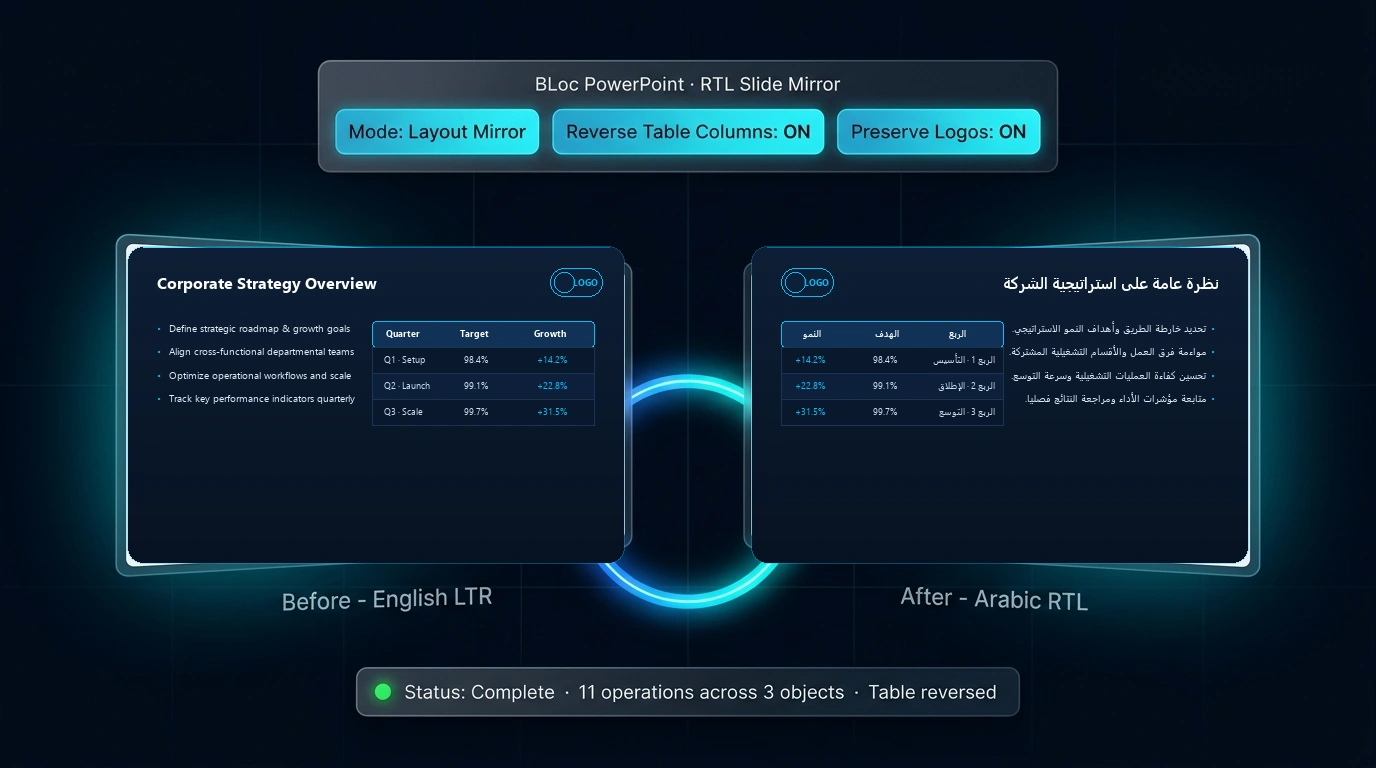
Real workflow · 0:59 · 1080p
Use the installed ribbon and Mirror workspace, save a separate result and compare the slide layout.
Review mixed-direction text and spacing before delivery.
00:00 BLoc PowerPoint brings layout mirroring into your presentation workflow.
00:05 Open Layout Mirror from the BLoc PowerPoint ribbon.
00:10 Control repositioning, text direction and table column order.
00:16 This run reverses table columns and repositions text boxes in a separate copy.
00:23 Keep the original and save the result as a new presentation.
00:27 The recorded operation runs inside the installed add-in.
00:33 The tool saved the copy and reports one table reversed.
00:37 The actual saved result retains the text and object dimensions.
00:46 RIGHT moves left. LEFT moves right. Their widths and styles follow.
00:54 Layout mirroring inside PowerPoint | basetloc.com
Try six prepared interactive examples covering mirroring, selection, text fit, tables, formatting and margins.
Download the latest Windows version from this page for free: one ZIP file with the program and its user guide.
Choose Get activation code and select your plan. You receive a License ID and Activation code by email; each code works once, on one PC, within 24 hours.
Open the tool, enter your License ID and Activation code (the first activation needs internet), and follow the user guide.
Full Mirror moves and flips artwork. Layout Mirror moves it while preserving its orientation. You can work on a whole deck or selected objects and groups, then review the result in PowerPoint.
Yes. Options include reversing table columns, toggling text direction in cells, swapping text padding, adjusting side margins, and replacing or shrinking fonts in existing RTL text. Availability is confirmed for your edition.
No. BLoc PowerPoint is designed for decks already translated into Arabic or another RTL language. Its font replacement and shrink controls target existing RTL text, while English proofing-language assignment and AutoFit are provided in the formatting workspace.
$15 / month or $150 / year. USD. Yearly billing includes two months free. The download is free; you pay for the license that activates it.
Download the latest Windows version from this page for free: a ZIP file with the program and its user guide. To use it, choose Get activation code, select your plan, and you will receive a License ID and Activation code by email. Each Activation code works once, on one PC, and must be used within 24 hours. The first activation needs internet.
Windows shows this for new programs downloaded from the internet that it does not know yet. Click More info, then Run anyway. To avoid the message, right-click the downloaded ZIP before unzipping it, choose Properties, tick Unblock, and click OK.
Choose Full Mirror or Layout Mirror when mirroring PowerPoint decks for Arabic, and control tables, margins, AutoFit, fonts and proofing language.
Downloads are free. To use a Windows tool you need a License ID and Activation code for each PC, with periodic online verification. Bug fixes, customer feedback and future updates are included at no additional charge.