How to Turn Translated PDF Reviews into Clear DTP Corrections
Compare source and translated PDFs side by side, triage layout and text findings, and export confirmed corrections as annotated PDFs and Word or Excel logs.
BLoc PDF QC · Document quality
Compare source and translated documents, review quality findings, and export confirmed corrections for DTP.
$20 / month or $200 / year
USD. Yearly billing includes two months free.
Free download of the latest version (ZIP with the user guide). To use it, get a License ID and Activation code.
Real workflow · 1:28 · 1080p
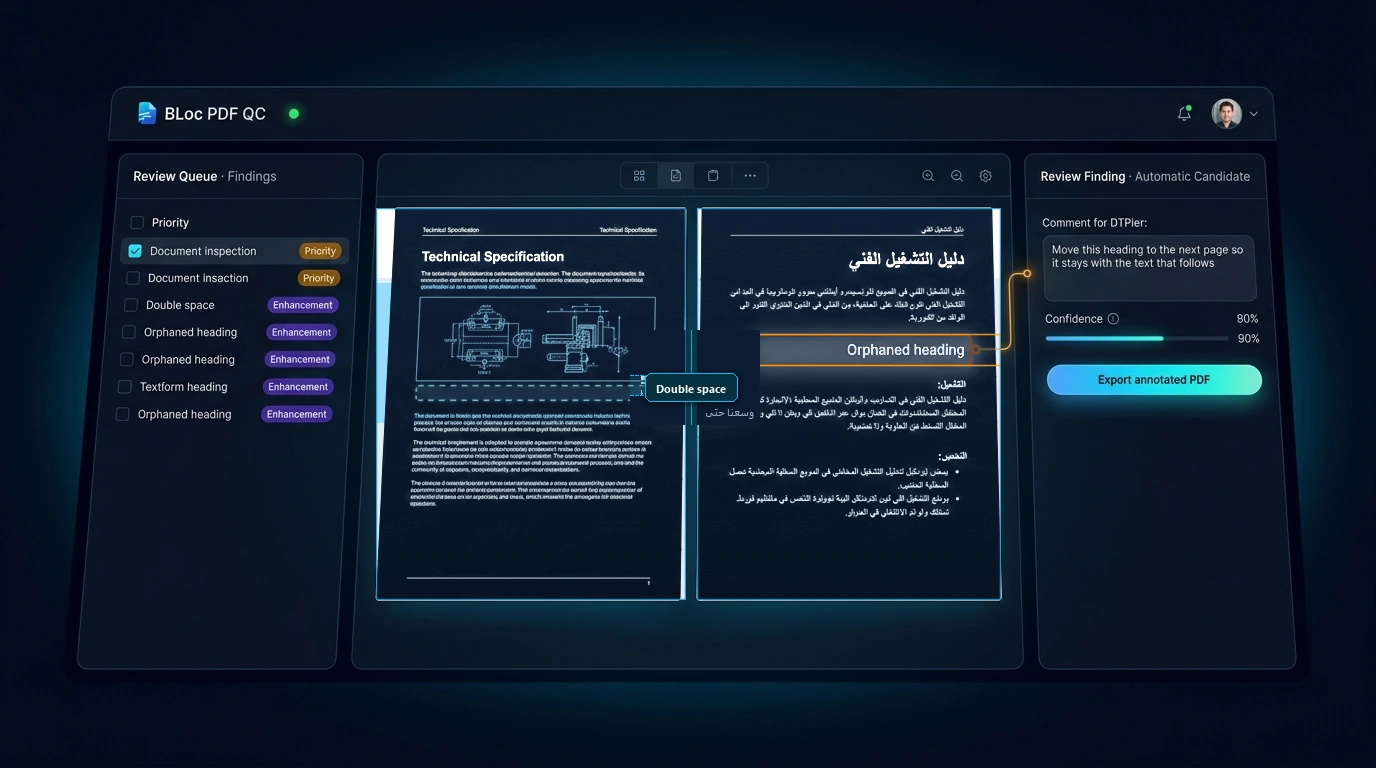
Compare source and target PDFs, mark two reviewed layout issues and export their comments.
The two findings are manually reviewed and annotated.
00:00 BLoc PDF QC | Review two visible layout issues in the existing PDFs.
00:07 Issue 1: the dotted decoration crosses the orange heading.
00:16 Issue 1: mark the decoration/text collision and add a reviewer comment.
00:29 Save a specific instruction: keep the dotted line clear of the text.
00:33 Issue 2: compare the final paragraph beside the photo on page 21.
00:39 Issue 2: reflow the narrow paragraph above the photo.
00:48 Mark the narrow text column and describe the layout improvement.
01:01 Both comments are reviewer-added, with a clear location and correction.
01:05 Export the two reviewed comments. Unchecked suggestions stay excluded.
01:13 The annotated PDF is ready to return to the DTP team.
01:18 Exported PDF: the decoration correction is attached to page 18.
01:23 Exported PDF: the paragraph correction is attached to page 21.
Try seven prepared examples covering bilingual comparison, findings, reviewer decisions, comments, revised targets, optional AI checks and export handoff.
Download the latest Windows version from this page for free: one ZIP file with the program and its user guide.
Choose Get activation code and select your plan. You receive a License ID and Activation code by email; each code works once, on one PC, within 24 hours.
Open the tool, enter your License ID and Activation code (the first activation needs internet), and follow the user guide.
No. Automated checks and optional AI identify review candidates. You inspect the evidence and decide which comments to confirm. Unconfirmed findings that require manual review stay out of exports.
Export confirmed Open/Ask comments as an annotated target PDF or Word and Excel comment lists. Originals are preserved, and reviews are saved locally. PDF export runs in the background with progress and retry support.
$20 / month or $200 / year. USD. Yearly billing includes two months free. The download is free; you pay for the license that activates it.
Download the latest Windows version from this page for free: a ZIP file with the program and its user guide. To use it, choose Get activation code, select your plan, and you will receive a License ID and Activation code by email. Each Activation code works once, on one PC, and must be used within 24 hours. The first activation needs internet.
Windows shows this for new programs downloaded from the internet that it does not know yet. Click More info, then Run anyway. To avoid the message, right-click the downloaded ZIP before unzipping it, choose Properties, tick Unblock, and click OK.
Compare source and translated PDFs side by side, triage layout and text findings, and export confirmed corrections as annotated PDFs and Word or Excel logs.
Downloads are free. To use a Windows tool you need a License ID and Activation code for each PC, with periodic online verification. Bug fixes, customer feedback and future updates are included at no additional charge.