Prepare Arabic Storyline Courses for RTL Layout Review
A practical Storyline RTL workflow: import Arabic XLIFF, choose mirroring and font options, save a separate project, and review the course before publishing.
BLoc Storyline RTL Reverse · Storyline RTL layout
Prepare translated Articulate Storyline projects for Arabic delivery. Reverse layouts, horizontal animations and motion paths, set text and player direction, and save a separate RTL project for review.
$50 / month or $500 / year
USD. Yearly billing includes two months free.
Free download of the latest version (ZIP with the user guide). To use it, get a License ID and Activation code.
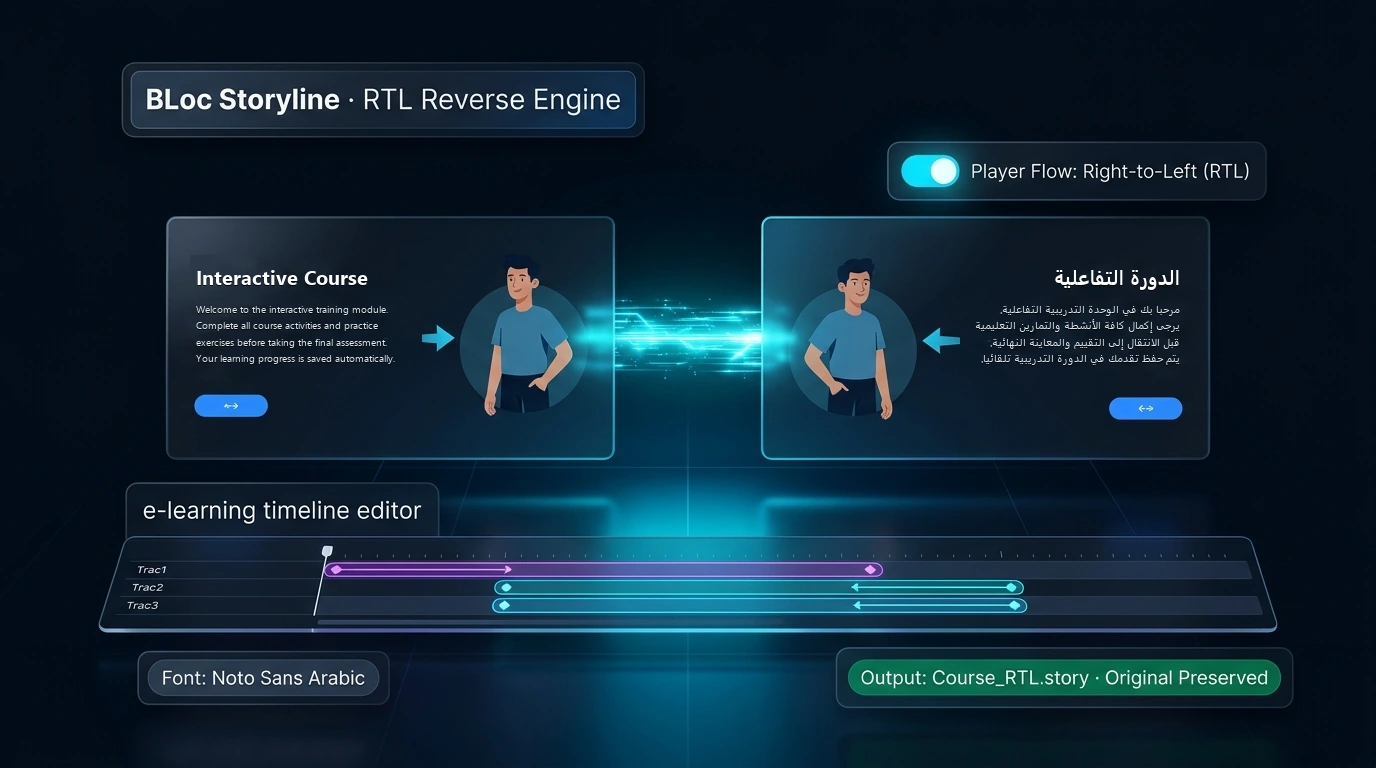
Real workflow · 1:10 · 1080p
Reverse a prepared Arabic course, choose font replacements and compare the saved layout in Storyline.
Translation and sample typography are prepared beforehand; final course QA remains a separate step.
00:00 BLoc Storyline RTL Reverse adapts translated courses for right-to-left reading.
00:05 The prepared Arabic sample still uses the original left-to-right layout.
00:10 Reverse object positions, text direction and player flow in one workflow.
00:16 Review suggested substitutes for missing fonts before the conversion runs.
00:22 BLoc creates a separate RTL copy of the course.
00:29 The completion report records layout, direction and font changes.
00:34 The Arabic title now reads from the right, with the visual layout reversed.
00:40 Before: the illustration, names and navigation follow the original arrangement.
00:45 After: grouped illustrations stay intact as the reading flow moves right-to-left.
00:52 The reviewed sample displays connected Arabic text and correct RTL punctuation.
00:59 Open the RTL copy in Storyline and review the course before delivery.
01:05 Adapt the layout. Preserve the artwork. Review with confidence. | basetloc.com
Download the latest Windows version from this page for free: one ZIP file with the program and its user guide.
Choose Get activation code and select your plan. You receive a License ID and Activation code by email; each code works once, on one PC, within 24 hours.
Open the tool, enter your License ID and Activation code (the first activation needs internet), and follow the user guide.
No. Translate the course through your XLIFF workflow and import the Arabic translation in Storyline first. BLoc Storyline RTL Reverse prepares the translated project for RTL layout review.
No. The tool saves a separate *_RTL.story file beside the input. Run it once per file: reversing an already processed project again can mirror the layout back.
Pictures move with the mirrored layout but keep their facing direction by default. Enable Flip pictures horizontally only when appropriate, then inspect arrows, logos and any text inside images.
Open the output in Storyline 360 and check text fit, Arabic alignment and punctuation, slide states, animations and artwork before publishing your course.
$50 / month or $500 / year. USD. Yearly billing includes two months free. The download is free; you pay for the license that activates it.
Download the latest Windows version from this page for free: a ZIP file with the program and its user guide. To use it, choose Get activation code, select your plan, and you will receive a License ID and Activation code by email. Each Activation code works once, on one PC, and must be used within 24 hours. The first activation needs internet.
Windows shows this for new programs downloaded from the internet that it does not know yet. Click More info, then Run anyway. To avoid the message, right-click the downloaded ZIP before unzipping it, choose Properties, tick Unblock, and click OK.
A practical Storyline RTL workflow: import Arabic XLIFF, choose mirroring and font options, save a separate project, and review the course before publishing.
Downloads are free. To use a Windows tool you need a License ID and Activation code for each PC, with periodic online verification. Bug fixes, customer feedback and future updates are included at no additional charge.